
MEGA: everything your PC needs. One app.
An optimizer, a deep disk cleaner, a drive manager, a game center, network tools, a security check and a dozen everyday utilities in one dark app that shows you every change before it makes it.
- One-time, no subscription
- Windows 10 (1809+) and 11, 64-bit
- No admin needed to install
10% off with code VLZGDT: apply it at checkout.
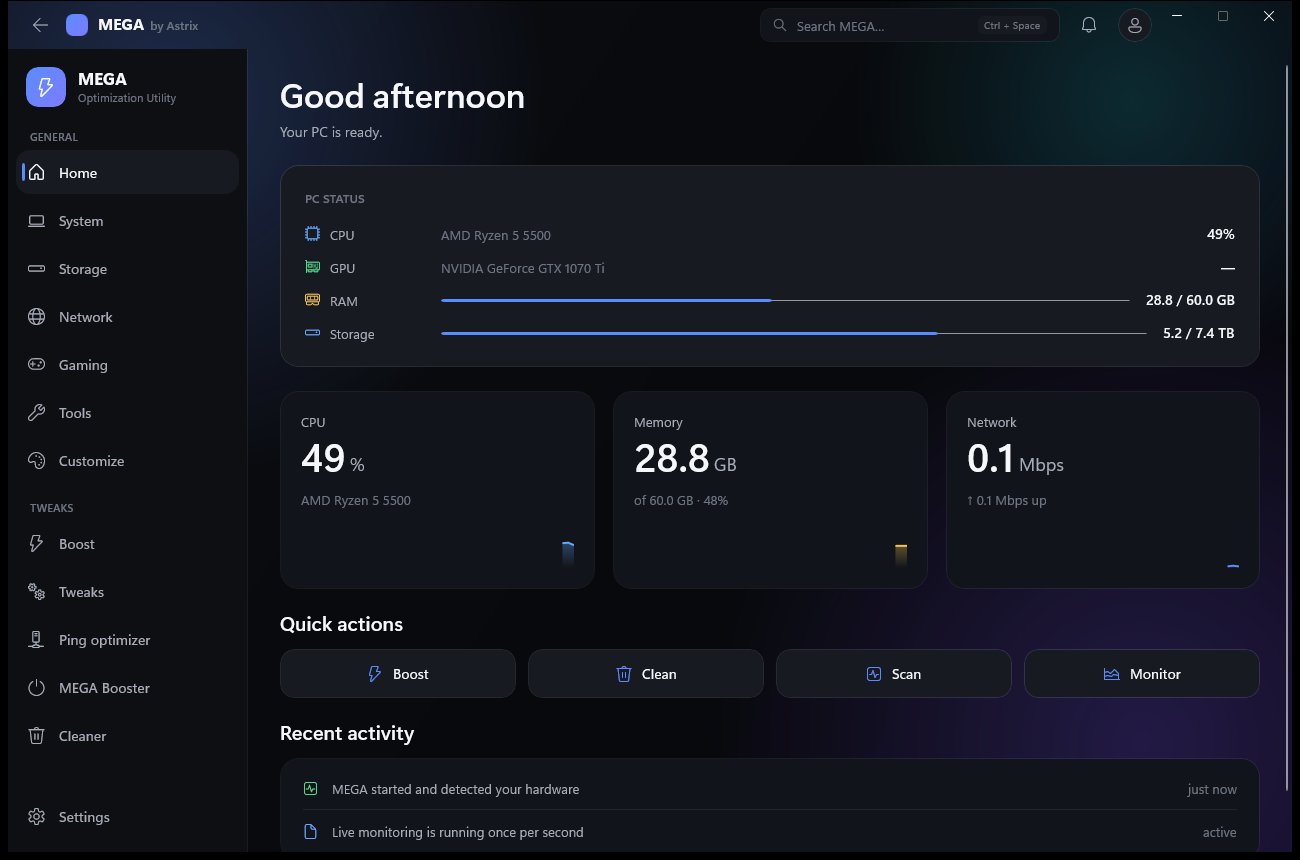
373
real Windows tweaks in 14 categories
25
modules, from services to restore points
6
network tools plus a ping optimizer
1×
online activation, then it works offline
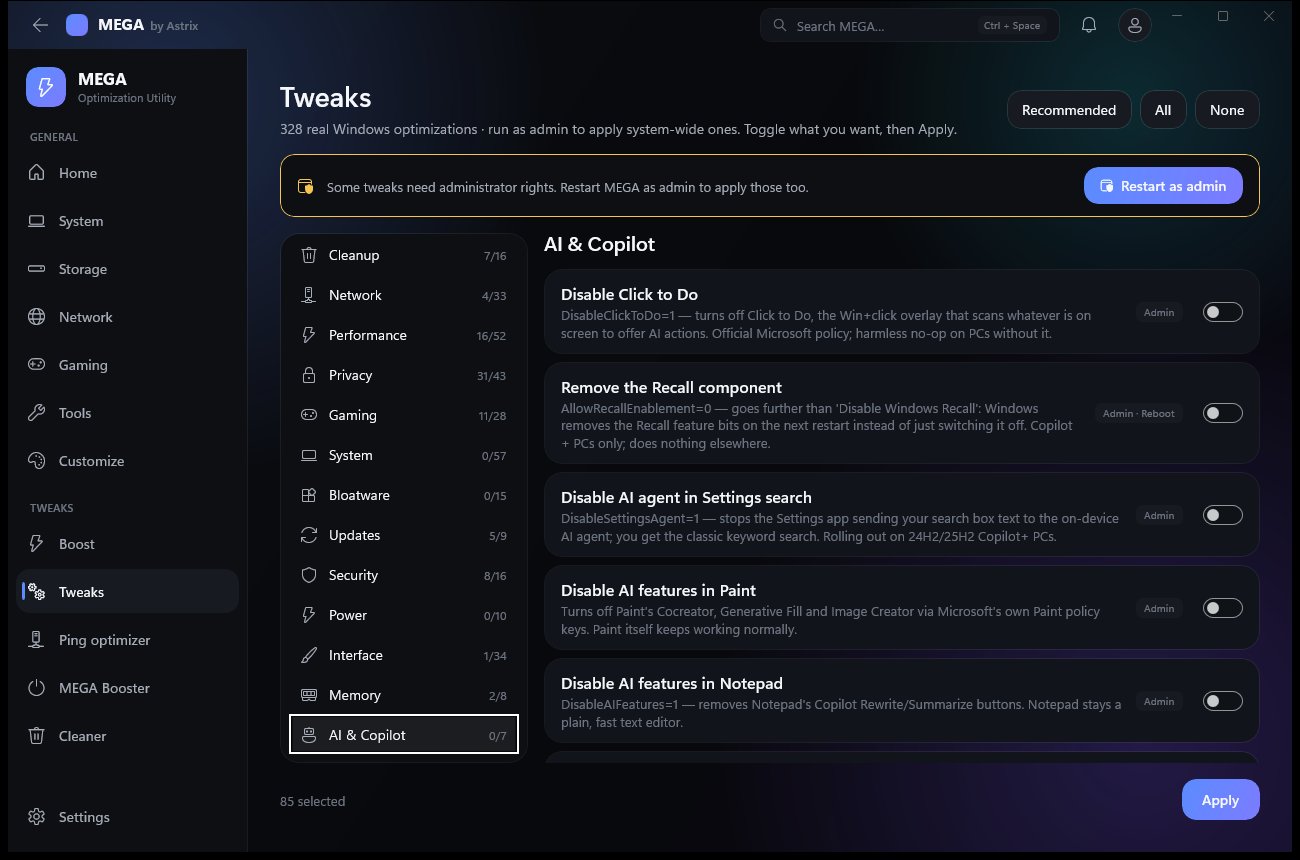
373 real Windows optimizations.
Pick a category, toggle what you want, press Apply. Every tweak says what it does and whether it needs admin rights or a restart. They are Windows’ own settings; MEGA never patches system files.
System (57) · Performance (53) · Privacy (44) · Interface (35) · Network (33) · Gaming (29) · Security (16) · Cleanup (16) · Bloatware (15) · Power (11) · Updates (9) · Memory (8) · AI & Copilot (7) · Fortnite (5)
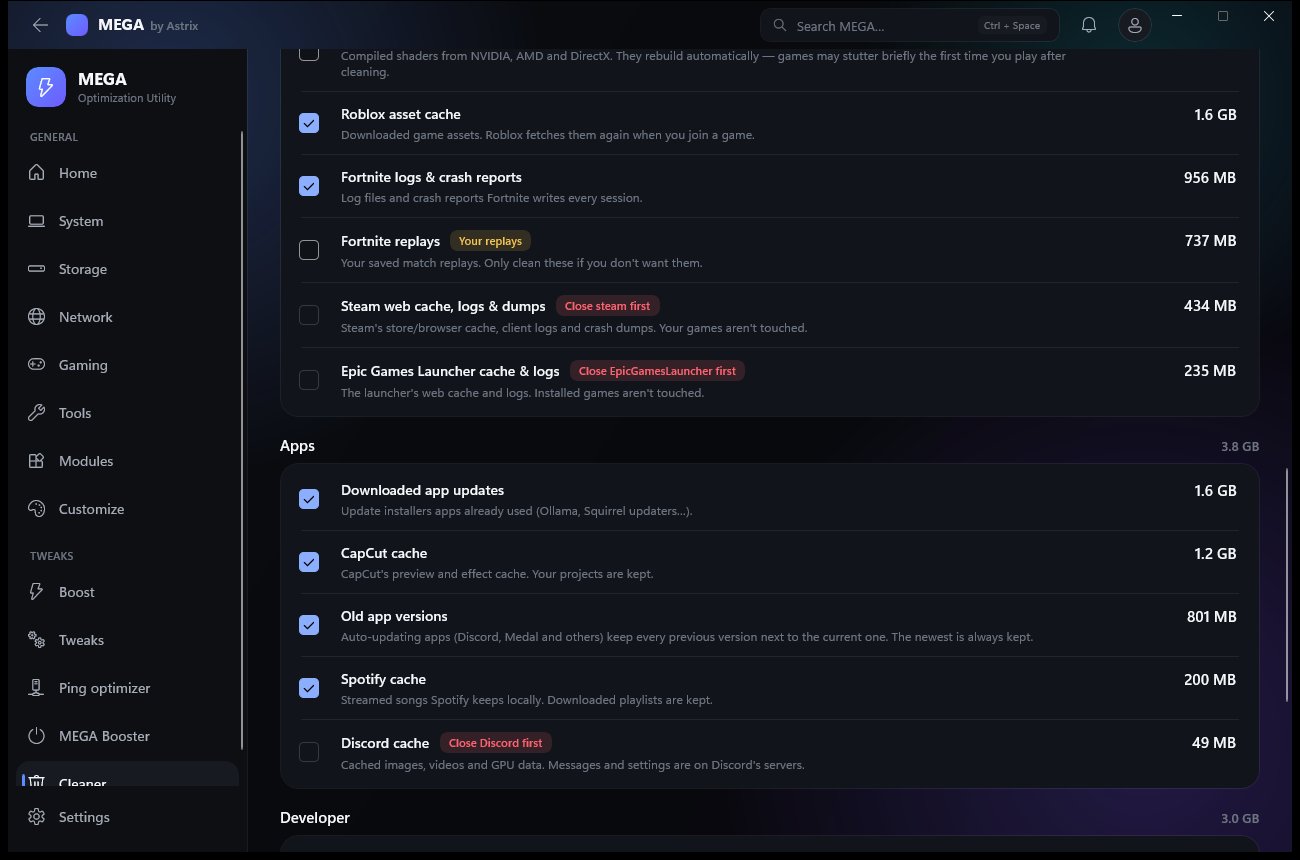
Finds the space other cleaners miss.
About 35 kinds of leftovers in five groups: Windows, browsers, games, apps and developer tools. Every item shows its size and what happens if you clean it, and nothing is deleted before it is listed.
- Browser cleaning covers caches only, never history, passwords, cookies or tabs
- “Safe picks” selects only the free wins; open apps are skipped
- Before-and-after free space when it finishes
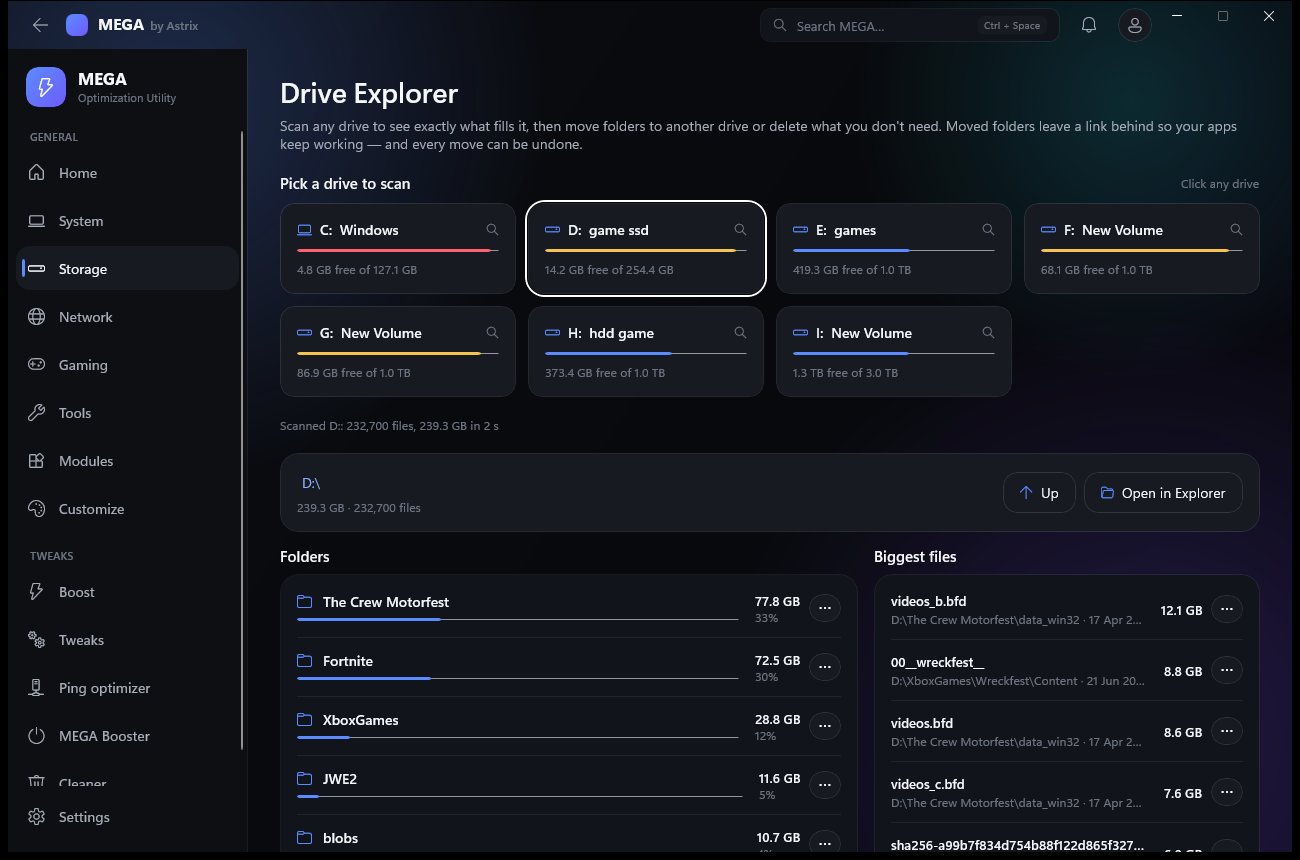
See what fills a drive. Move it somewhere else.
Scan any drive and see folders sorted by size, a click-through tree and a Biggest files list.
- Moves copy and check every file, then leave a link behind so apps keep working
- Documents, Downloads, Pictures, Videos and Music move the official Windows way
- “Moved by MEGA” lists every move with an Undo button
- Windows, Program Files and the core of your profile are protected
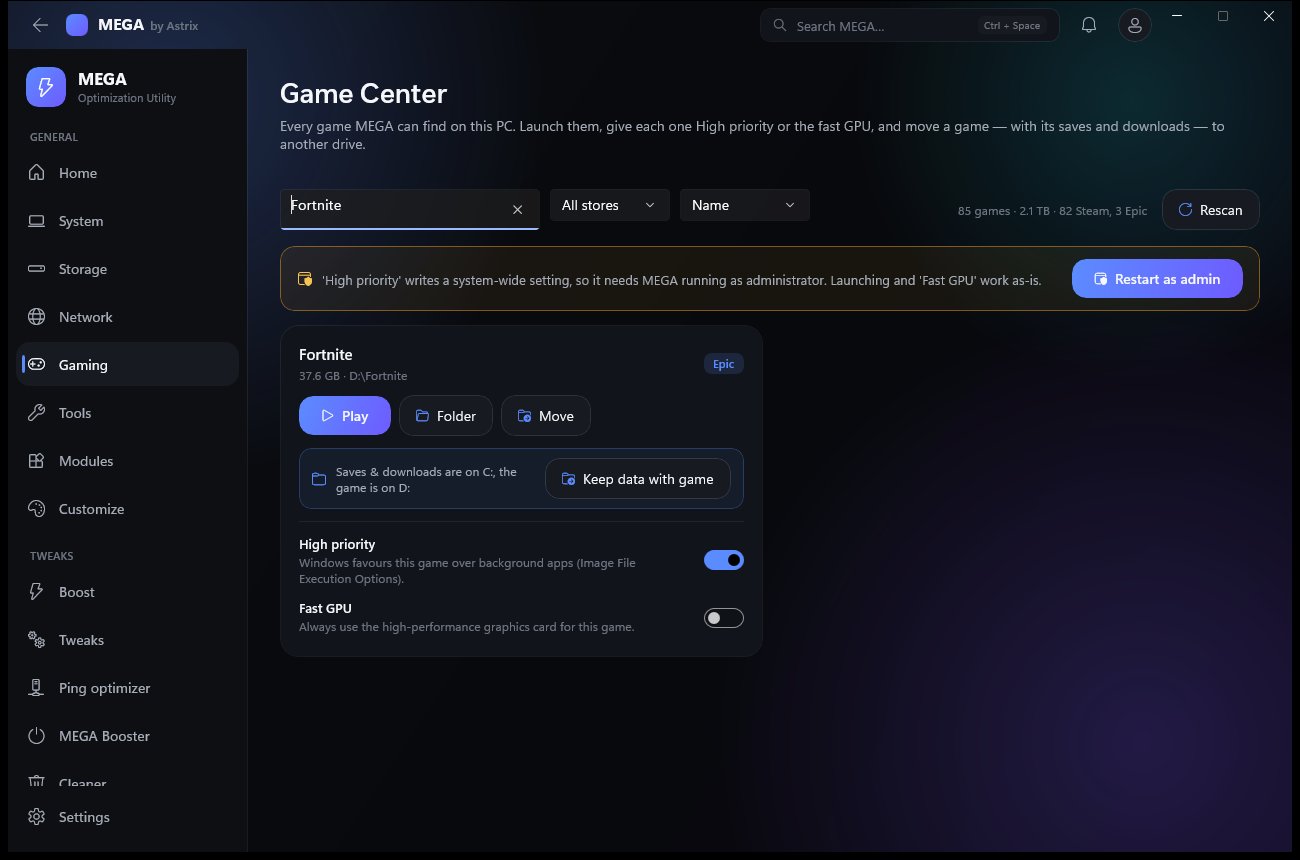
Move a game, with its saves and downloads.
Every Steam and Epic game on every drive, with per-game High priority and Fast GPU options, or move it to another drive.
- Epic: MEGA updates Epic’s own records, so Play, updates and Verify keep working with no re-download
- Steam: Steam’s own mover is the safe way for game files; MEGA explains how and moves saves and downloads
- “Keep data with game” brings saves, replays and downloads to the game’s drive
- SSD or HDD detection, live speed and time left, Cancel and Undo
Network, security, boost and 25 modules.
Network tools
Ping with jitter and loss, traceroute, a DNS test against your DNS and public resolvers, a Cloudflare speed test, a packet-loss graph and every adapter’s details.
Security check
Defender, firewall, UAC, Secure Boot, SmartScreen, SMBv1 and more, scored, with a fix for each. It works with Windows Security, not instead of it, and is not an antivirus.
Boost & MEGA Booster
Boost switches on Game Mode, lowers background app priority, hands back unused RAM and tells you what it did. Booster keeps everything but your whitelist closed while you play.
Benchmark & Display
CPU, RAM bandwidth and uncached disk speed. It can spot a 144 or 240 Hz monitor stuck at 60 Hz and reverts a display change after 15 seconds unless you keep it.
25 modules
Services, drivers, restore points, hosts file, Wi-Fi passwords, process and startup managers, an uninstaller, a password generator and more.
Gaming guide
1,000 gaming PC and Fortnite tips, searchable, with one-click links to the ones MEGA can apply. Read the guide.
Easy to verify. Easy to leave.
Private by default
MEGA goes online only to activate, check for updates, sync if you sign in, and run tests you start. Wi-Fi passwords and your hosts file never leave the PC. See the privacy policy.
Verify the download
Published SHA-256 hashes, signature details and VirusTotal links are in the Trust center.
Microsoft Security Intelligence reviewed a MEGA build on 13 Oct 2026: no detection. MEGA 1.4.9 scanned with Microsoft Defender on 23 Oct 2026: no threats. Details
A real uninstaller
Before removing anything it lists what MEGA added, and you choose whether to keep your settings and licence.
No promised FPS gains: results depend on your hardware, drivers and what was running before. Astrix is not affiliated with Microsoft.
$20 once. Yours for good.
Secure checkout by Stripe. Your licence key is emailed to you; activate it in Setup or on first launch. One PC per key. Refundable within 24 hours (refund policy).